3 Circle Venn Diagrams: Examples and How to Make One
A 3 circle Venn diagram compares three things at once and shows every way they overlap. Here are three examples you can open and edit, and a short guide to building your own.
What a Third Circle Adds
A two-circle diagram has three regions: left, right, and the overlap. Add a third circle and you get seven:
- Three single regions — what belongs to one circle only
- Three pair overlaps — what two circles share but the third does not
- One centre — what all three have in common
The pair overlaps are where a three circle Venn diagram earns its keep. A table can list what three things have in common. Only the diagram shows, at a glance, what you get when you have two of them and lack the third.
Example 1: Fast, Good, Cheap
The old project rule says you can pick two. Drawn as a diagram, each pair overlap names the price of leaving the third one out, and the centre is the thing everyone asks for.
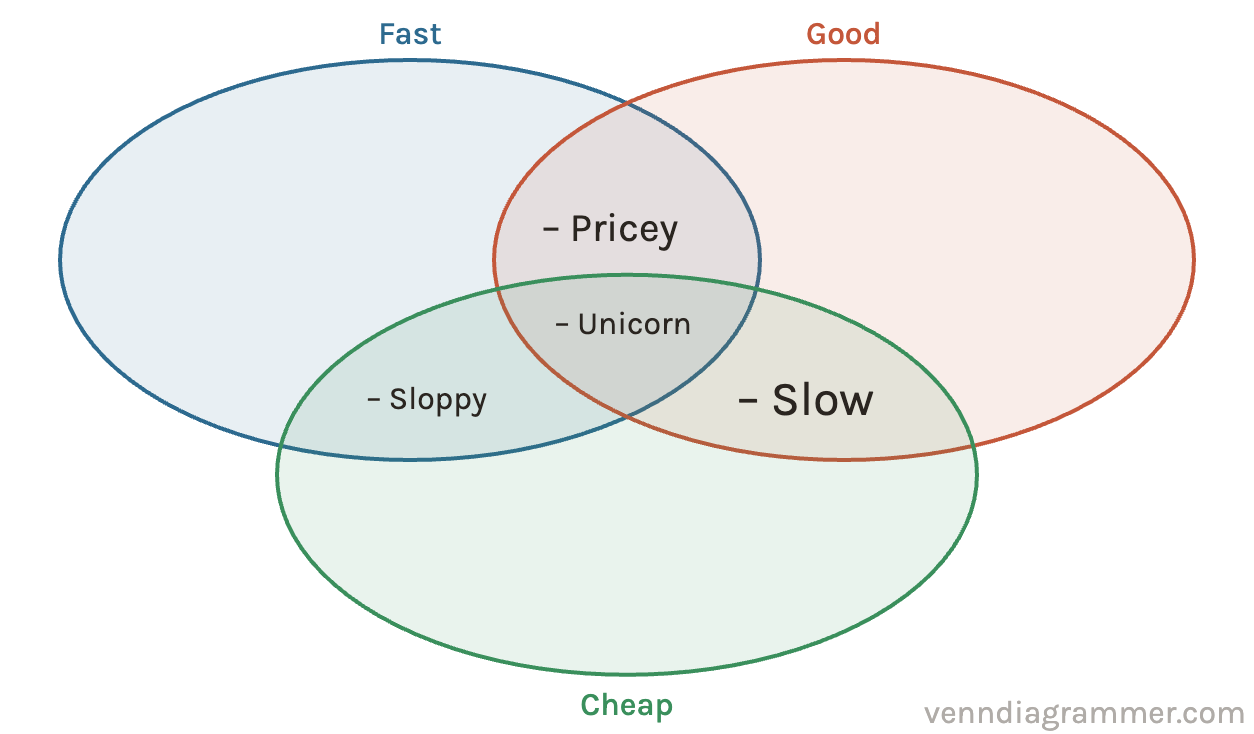
Notice that the three outer regions are empty. That is fine. When the point of the diagram is the trade-off, the overlaps carry it on their own.
Example 2: The Three Pillars of Sustainability
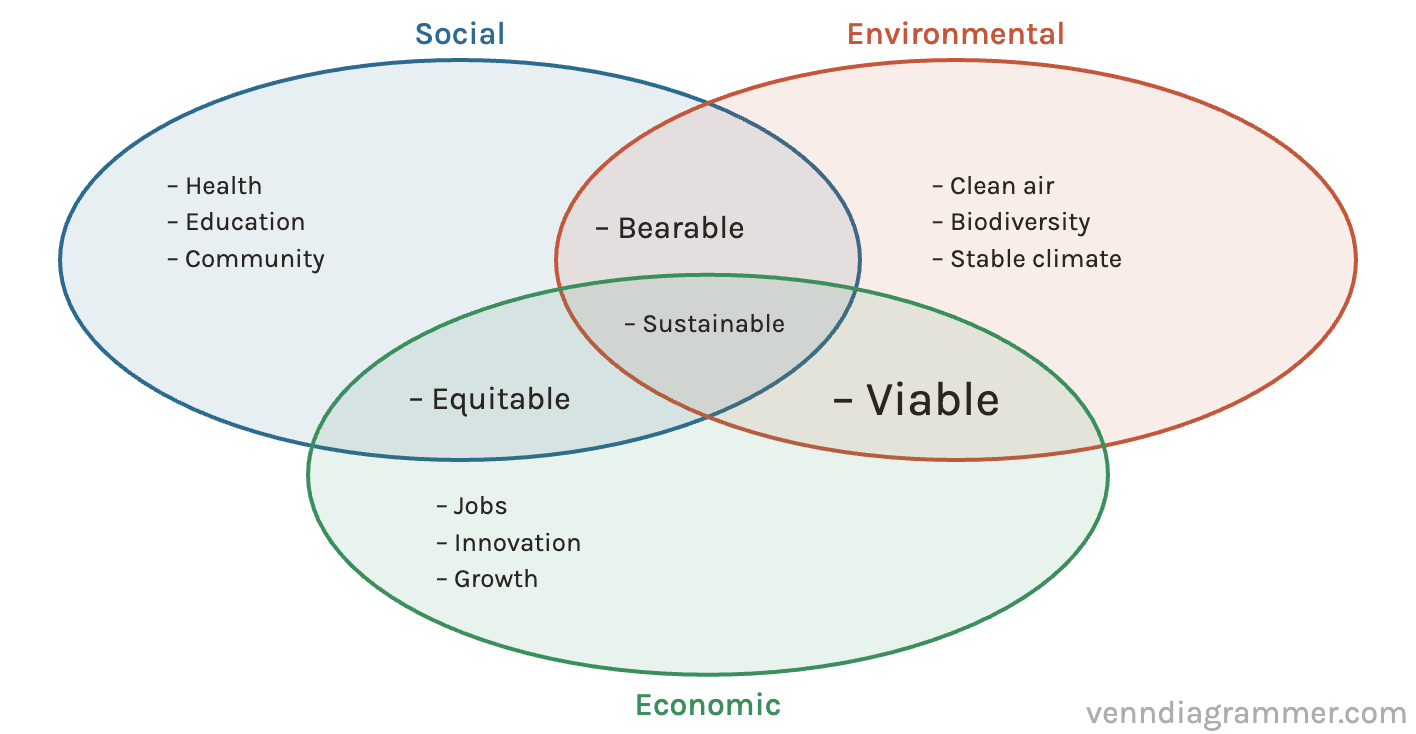
This is one of the most widely used three-set diagrams. Each pillar has its own concerns, each pair has a name, and the word in the centre only applies when all three are satisfied.
Example 3: Swimming, Cycling, Running
A fuller diagram. Every one of the seven regions is in use: each sport has its own traits, each pair is a real multisport event, and all three together make a triathlon.
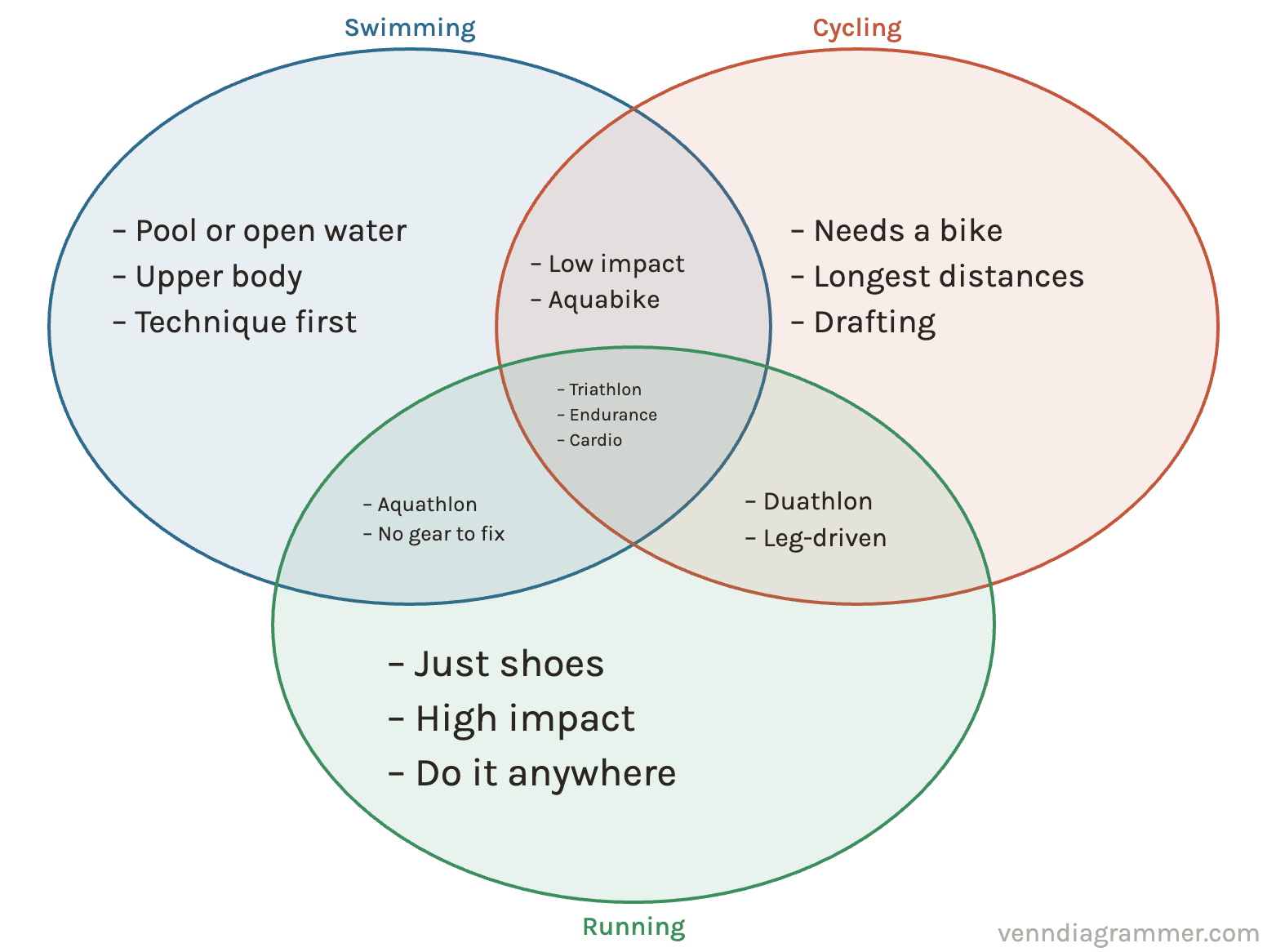
The diagram grows to fit what you type, and each region picks its own text size, so a short word in a small overlap stays readable next to a longer list in a circle.
How to Make a 3 Circle Venn Diagram
Open a 3 Circle Diagram
Open the editor and choose 3 Circles at the top, or open one of the examples above and replace the text. It is free, and there is no account to create.
Start a Blank 3 Circle DiagramName the Three Circles
Two labels sit above the diagram and one below it. Click each and type a name of up to 20 characters.
Fill the Regions
Click inside any region and type. Press Enter for another item and Backspace on an empty item to remove it. On a phone, tap a region to edit it in a panel at the bottom of the screen.
Start with the centre. If you cannot name one thing all three circles share, a three-circle diagram may be the wrong shape for your idea. Then do the pair overlaps, and fill the outer regions last.
Export or Share
Download the diagram as SVG, PNG, or PDF, copy a share link that reopens it in the editor, or generate an HTML embed code for your website.
How Much Fits
The overlaps in a three-circle diagram are small, so the editor limits how much each region holds. The limits keep the text readable:
- Each circle's own region — up to 5 items of 24 characters
- Each pair overlap and the centre — up to 3 items of 18 characters
- Circle labels — up to 20 characters
That is 27 items in a full diagram. Two-circle diagrams have no such limits, so if you need long lists, compare two things at a time.
Tip: Write overlaps as one or two words. “Duathlon” reads better than “Events with a bike and a run”, and short items get larger text.
More 3 Circle Venn Diagram Ideas
- Colour mixing — red, green and blue light, with yellow, magenta and cyan in the pairs and white in the centre
- Career choices — what you are good at, what you enjoy, and what pays
- Product decisions — what users want, what the business needs, and what can be built
- Classroom comparisons — three characters in a novel, three biomes, or three forms of government
- Hiring — skills, experience and team fit for a role
Frequently Asked Questions
How many regions does a 3 circle Venn diagram have?
Seven: three regions that belong to a single circle, three where exactly two circles overlap, and one in the centre where all three meet. Counting the area outside the circles gives eight.
What goes in the middle of a 3 circle Venn diagram?
Whatever is true of all three sets. In the examples above the centre holds “Sustainable” and “Triathlon”, the things you only get when all three circles apply.
Can I leave regions empty?
Yes. Empty regions stay blank in the exported diagram, as in the Fast, Good, Cheap example.
Can an AI agent create a 3 circle Venn diagram?
Yes. The WebMCP tool accepts circles: 3 with items for each of the seven regions and returns the diagram as SVG or PNG.
Is the 3 circle Venn diagram maker free?
Yes. Editing, exporting, sharing and embedding are free, with no sign-up.
Make Your 3 Circle Venn Diagram